
KAYA DOCUMENTATION
Getting started with Kaya
Welcome. Let's turn two zip files into your website.
This guide takes you from the files you just downloaded to a finished site, in about fifteen minutes. Work through the four steps in order the first time; after that, dip into whichever article you need.
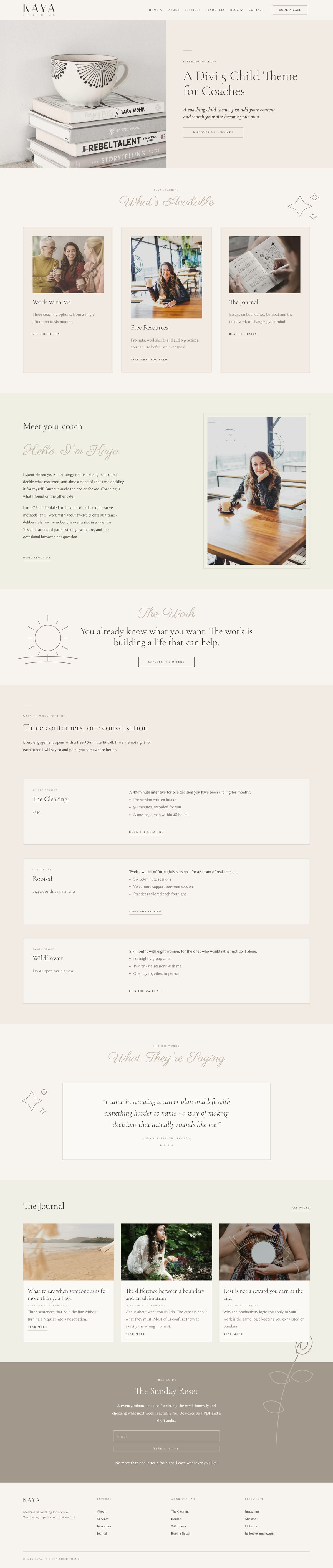
THE KAYA DEMO, READY TO BECOME YOURS
WHAT YOU DOWNLOADED
Two files, one website
Your Marketplace account where you purchased holds both of these. Keep them zipped - WordPress wants the zip file, not the folder inside it.
KAYA-COACHING.ZIP
The child theme. This is what you install in WordPress.
KAYA-DEMO-CONTENT.ZIP
The demo content. You upload this inside WordPress once the theme is active.
BEFORE YOU BEGIN
What you need
Kaya is a child theme, so Divi does the heavy lifting underneath it. No other plugins are needed, and Kaya adds nothing you have to maintain.
REQUIREMENTS
WordPress 6.0 or later
PHP 7.4 or later
Divi 5, installed and active
Get Divi from Elegant Themes. That is an affiliate link: if you buy through it, Elegant Themes pays me a commission at no extra cost to you.
THE FOUR STEPS
From zip file to finished site
Each step has its own article. They take about fifteen minutes end to end.
STEP ONE
Install the child theme
Upload the zip, activate it, and let Divi do the work underneath.
STEP TWO
Import the demo content
One click builds the seven pages, the journal, the templates and the menu.
STEP THREE
Replace the placeholder images
Every placeholder is labelled with the size it expects, so you know what to prepare.
STEP FOUR
Make the colours and fonts yours
Ten named colours, four fonts and two spacing variables rebrand the whole site.
ALSO IN THIS GUIDE
More articles
Ready when you are.