
HELP
Troubleshooting
The handful of things that actually go wrong.
Most Kaya problems are one of the following, and most of them are fixed by clearing Divi's cached stylesheets. Start there before anything else.
FIRST, ALWAYS
Clear the static CSS cache
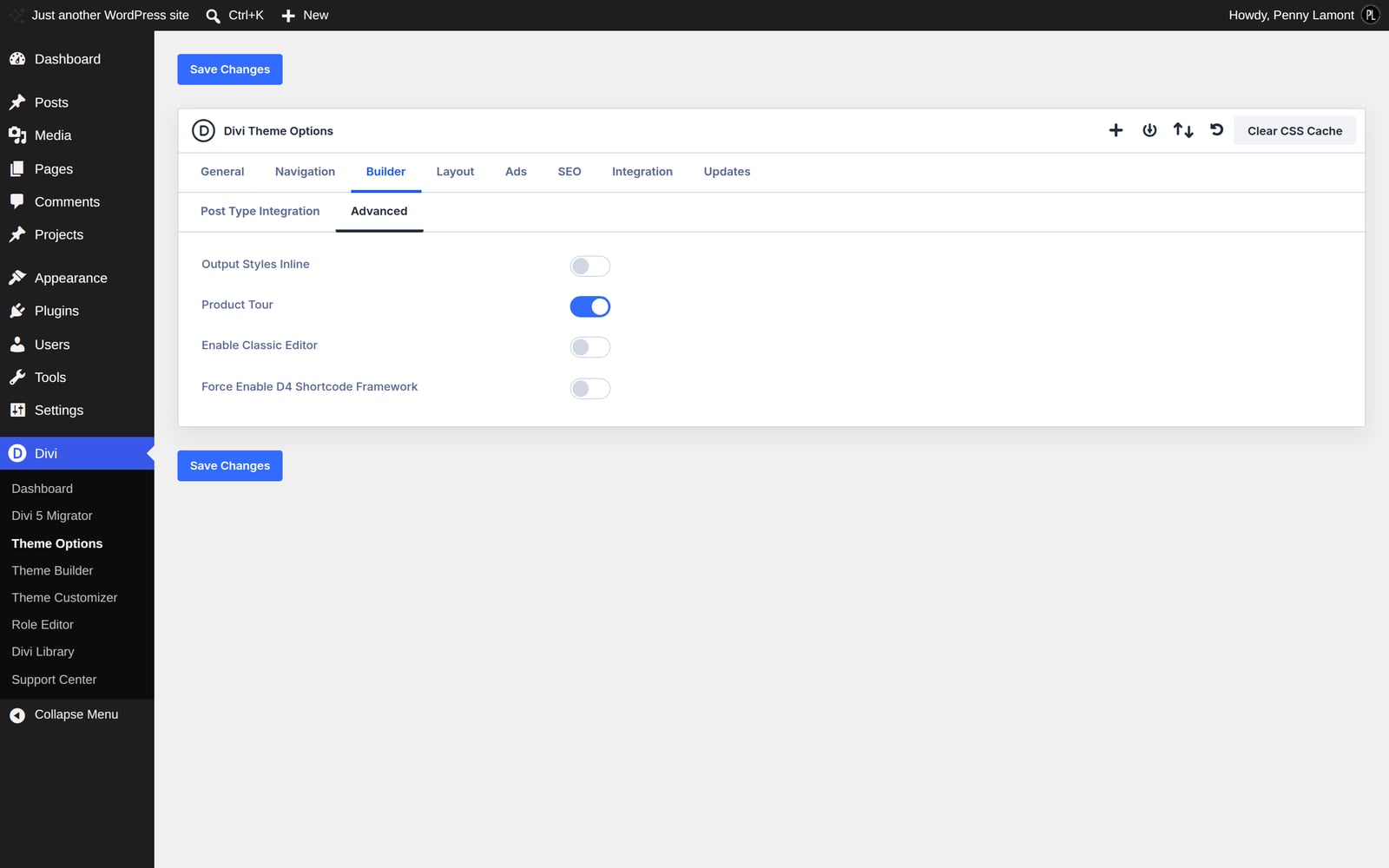
Divi compiles your design into cached stylesheet files. After any change to the palette, the fonts or a preset, those files can lag behind - so a change you have definitely made refuses to appear. Go to Divi › Theme Options and click Clear CSS Cache at the top right of the page, then reload your site with a hard refresh.
This fixes more reported problems than everything else on this page put together.
PROBLEM
Every heading and button has lost its styling
Something has damaged Divi's global presets, usually a plugin writing to them or an interrupted import. The quickest check: open any page in the Visual Builder and look at whether a heading still shows a preset name in its settings. If presets have gone, restore the site from a backup taken before the change - re-importing the demo will create duplicate pages rather than repairing it.
PROBLEM
The dropdown menu looks wrong
The panel is suddenly wide, rounded, or the items sit side by side instead of stacking. Kaya styles the dropdown from the child theme's stylesheet, so this almost always means the child theme is not loading - check that Kaya Coaching is the active theme rather than Divi itself under Appearance › Themes.
PROBLEM
The header is taller than the demo
Same cause: the compact header spacing is in the child theme's stylesheet. If Divi is active instead of Kaya, you get Divi's default header height and no shrink on scroll.
PROBLEM
An ornament is enormous
Its background size has been left on the default rather than set to Custom. Open the section, go to Content › Background, set the image size to Custom and give it a width and height in the drawing's own proportions.
PROBLEM
The flower is in the middle of a page
You have added a section below the one that carries it. The sprig belongs on the last section of the page so it can run down into the newsletter band. Move the background image to your new final section.
PROBLEM
A page shows Divi's plain header and footer
That page is matched by a Theme Builder template whose header and footer layouts are empty. Divi never merges templates, so a blank slot means Divi's stock output rather than the site's. Open the template and name the header and footer layouts explicitly.
PROBLEM
The fonts look wrong
Cormorant Garamond and Belleza are loaded from Google Fonts. If your site blocks external fonts - some privacy plugins and some European hosting setups do - they will fall back to a system serif. Either allow the Google Fonts host, or use Divi's option to host the fonts locally.
STILL STUCK
What to send with a ticket
A link to the page, a screenshot of what you are seeing, your Divi version, and whether it happens on the front end, in the Visual Builder, or both. That is usually enough to answer without a second exchange.
Next