
RECIPE JUMP BUTTONS
The Jump and Print buttons
Let readers skip straight to the recipe.
Recipe Jump Buttons is the plugin’s second module: a Jump to Recipe button that scrolls down to the card, and a Print Recipe button that opens the printable recipe. It belongs near the top of the post, above your introduction.
STEP ONE
Add the module
Add Recipe Jump Buttons from the module search, just as you added the card, and place it anywhere above the Recipe Card.
STEP TWO
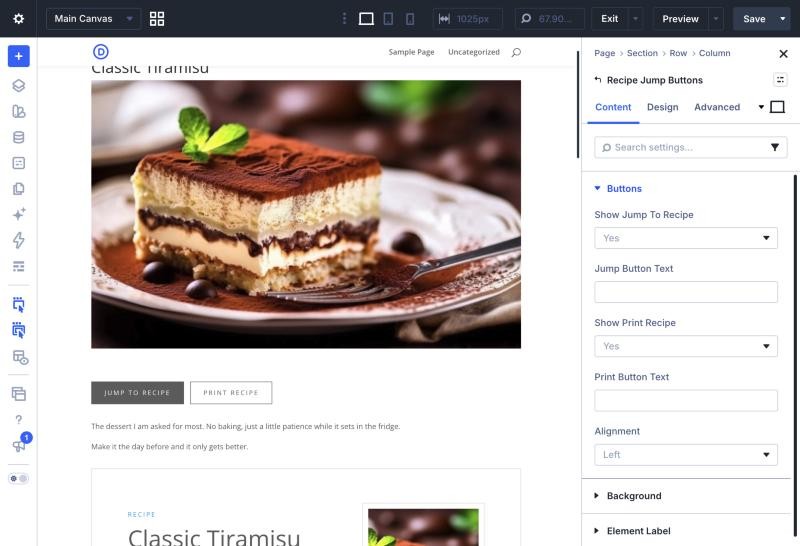
Choose the buttons and their wording
In Buttons, switch either button off, change its text, and set the Alignment to Left, Centre or Right. Leave the text empty for Jump to Recipe and Print Recipe.
STEP THREE
Style them
Design › Jump Button and Print Button carry Divi’s full button options.
STEP FOUR
See them on the page
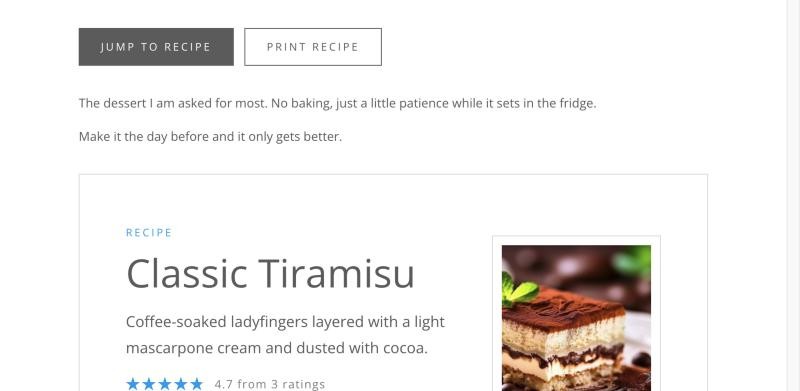
On your live site the buttons only appear when the post really has a Recipe Card to jump to. In the builder they always show, so you can place them before the card.
GOOD TO KNOW
Printing from the top
THE READER’S CHOICES COME TOO
If a reader has switched to metric or changed the servings, both Print buttons print the recipe exactly that way.
Also in this guide