
STEP FOUR OF FOUR
Making the colors and fonts yours
Rebrand in a handful of changes.
Kiara is built on Divi's global colors, design variables and presets, which means most rebranding is a handful of changes rather than hundreds. Change a color once and every module using it follows.
THE PALETTE
Eleven named colors
Open the Variable Manager in the builder - the database icon in the left toolbar - and expand Colors.

The four that do the most work
These are Divi's own named colors, so changing them rebrands the whole site at once.
Primary — #A2988C - taupe accents, arrows, dividers
Secondary — #C3B7A8 - hairlines and fine rules
Heading — #3B3733 - headings and dark text
Body — #5A544C - running text
Six more sit alongside them, named for what they do:
Cream — #F7F4EF - the main page background
Cream Alt — #F1EBE4 - alternating bands
Ivory — #FBF9F6 - cards and panels
Muted — #8C837A - small labels and captions
Line — #DCD3C8 - borders and rules
On Dark — #FFFDFA - text over dark sections
THE FONTS
Four faces, set globally
Cormorant Garamond — headings and ledes
Belleza — body text
Italiana — the wordmark
Jost — small letterspaced labels
IF YOU SWAP THE BODY FONT
Change the heading and body fonts in Divi's global font settings and the site follows. Leave the body weight at 400 - Belleza ships one weight only, and so do several of the alternatives that suit this design.
SPACING
One variable sets the rhythm
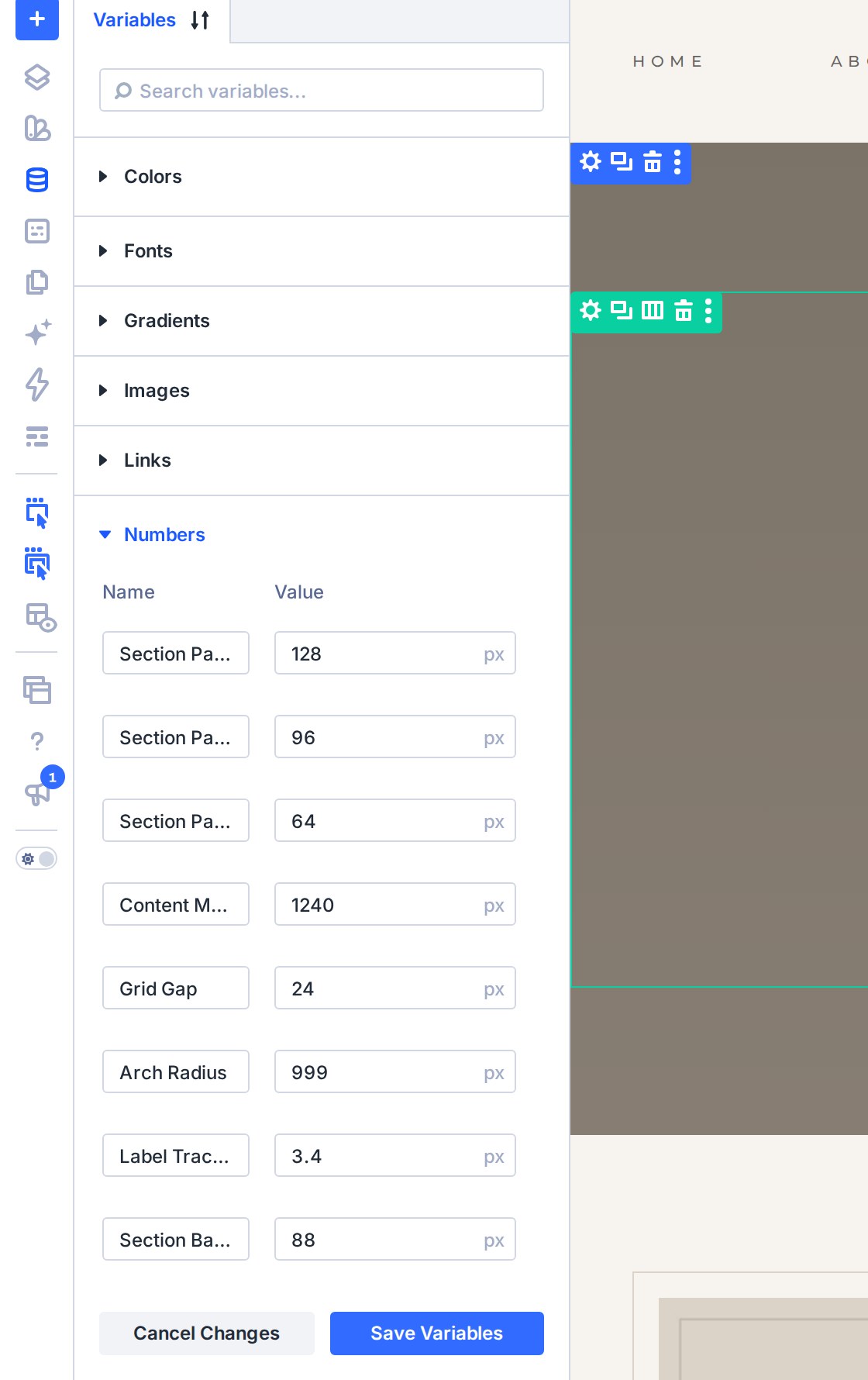
The space between sections comes from a single design variable, Section Band Padding, set to 88px. Change it once, under Numbers in the Variable Manager, and every content band on the site re-spaces together.
PRESETS
Edit one, change them all
Headings, body copy, buttons, labels and dividers each use a Divi preset. Edit a preset - say Body Copy - and every module using it updates at once. It is the quickest way to make a change stick across the whole site, and the safest: nothing is left behind on a page you forgot.
Next