
STEP ONE OF FOUR
Installing the child theme
The quickest part of the whole setup.
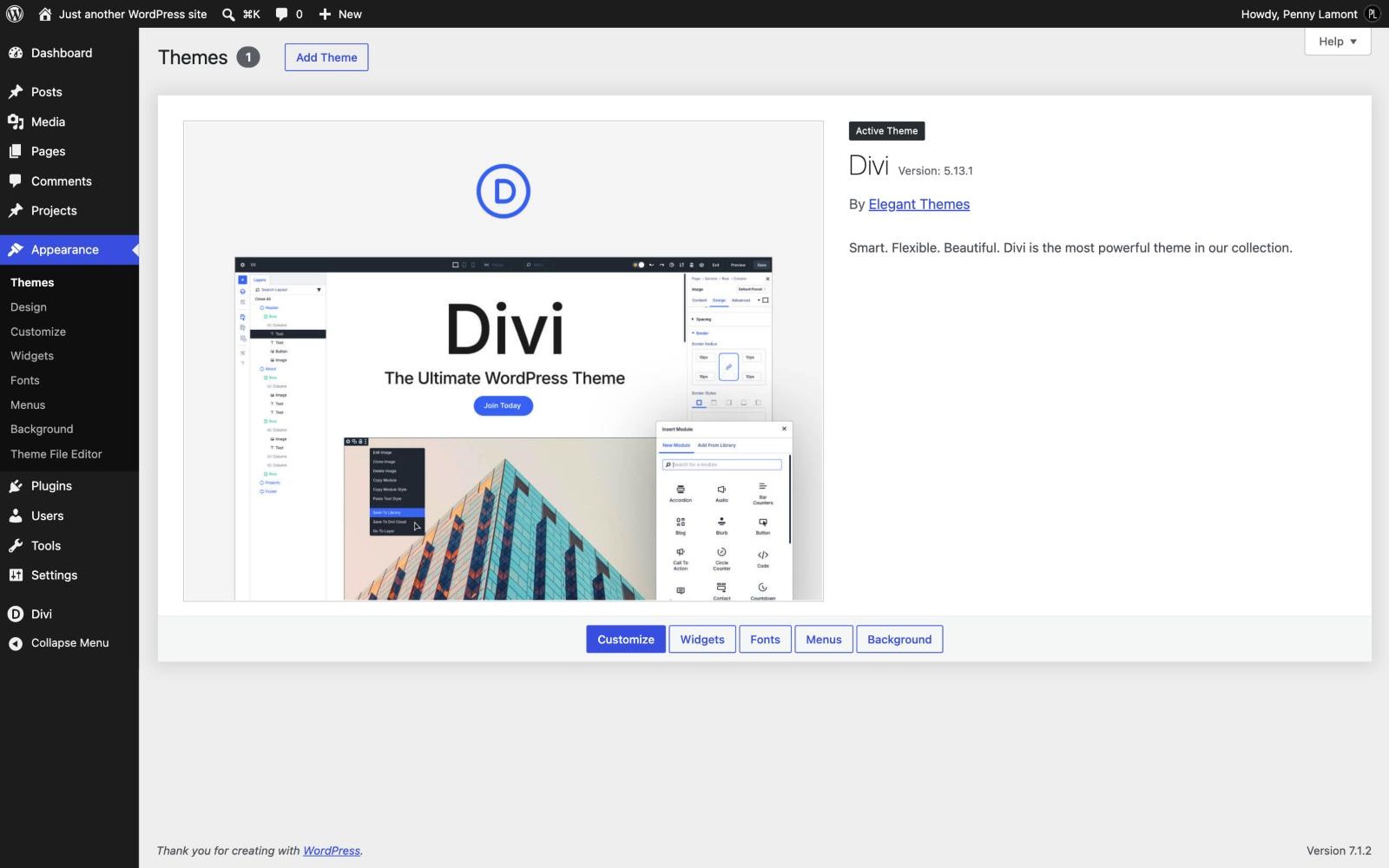
Divi must be installed and active before you begin - Nicole is a child theme, so it cannot run on its own. If Divi is already running, this takes about five minutes, including the Recipe Card plugin.
STEP ONE
Download the files
Your Marketplace account holds three files. nicole-food-blog.zip is the theme, nicole-food-blog-demo-content.zip is the demo content for step two, and recipe-card-for-divi.zip is the Recipe Card plugin. Keep them zipped: WordPress wants the zip file, not the folder inside it.
STEP TWO
Upload and install the theme
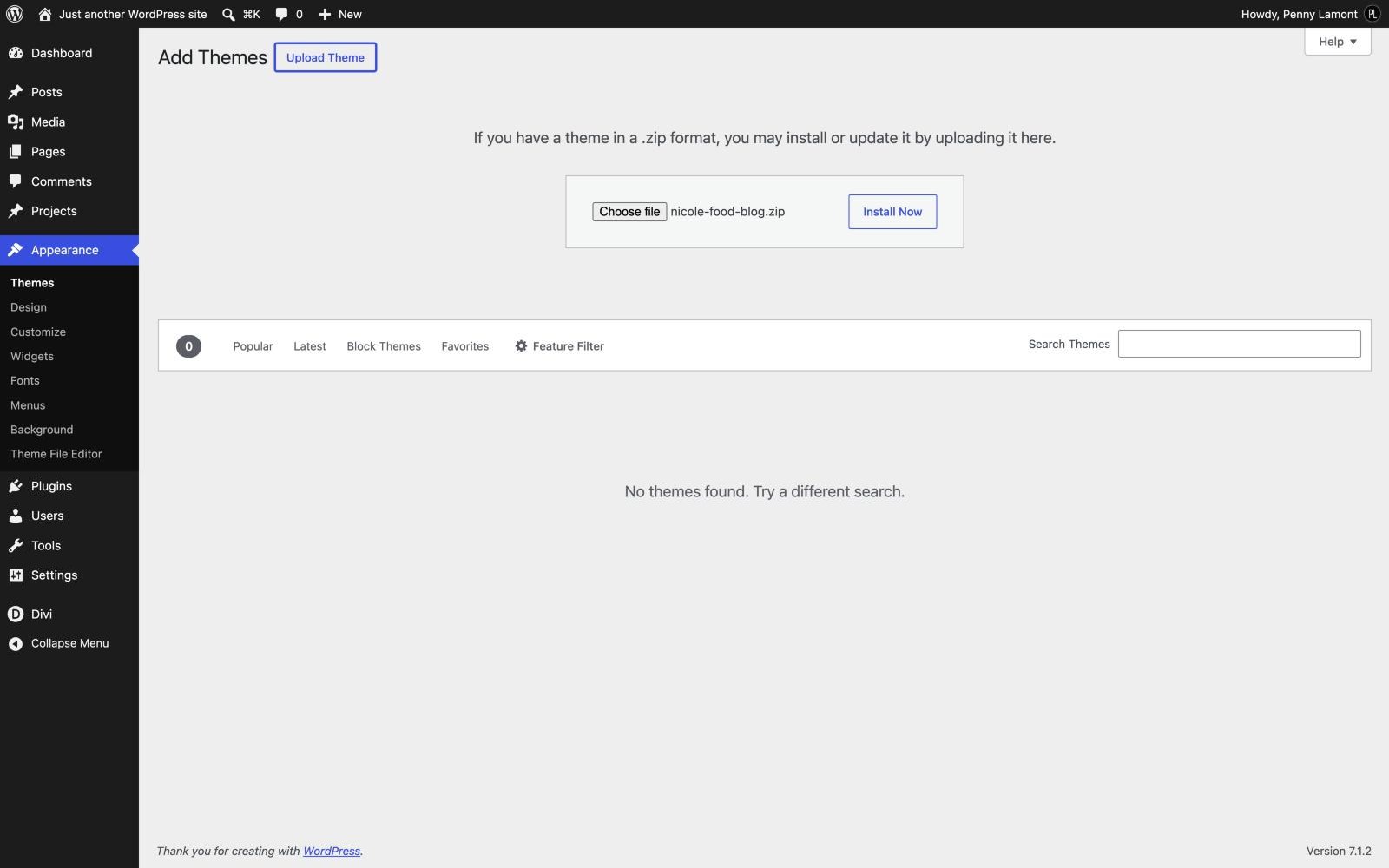
In WordPress, go to Appearance › Themes, click Add New Theme, then Upload Theme. Choose nicole-food-blog.zip and click Install Now.
STEP THREE
Activate
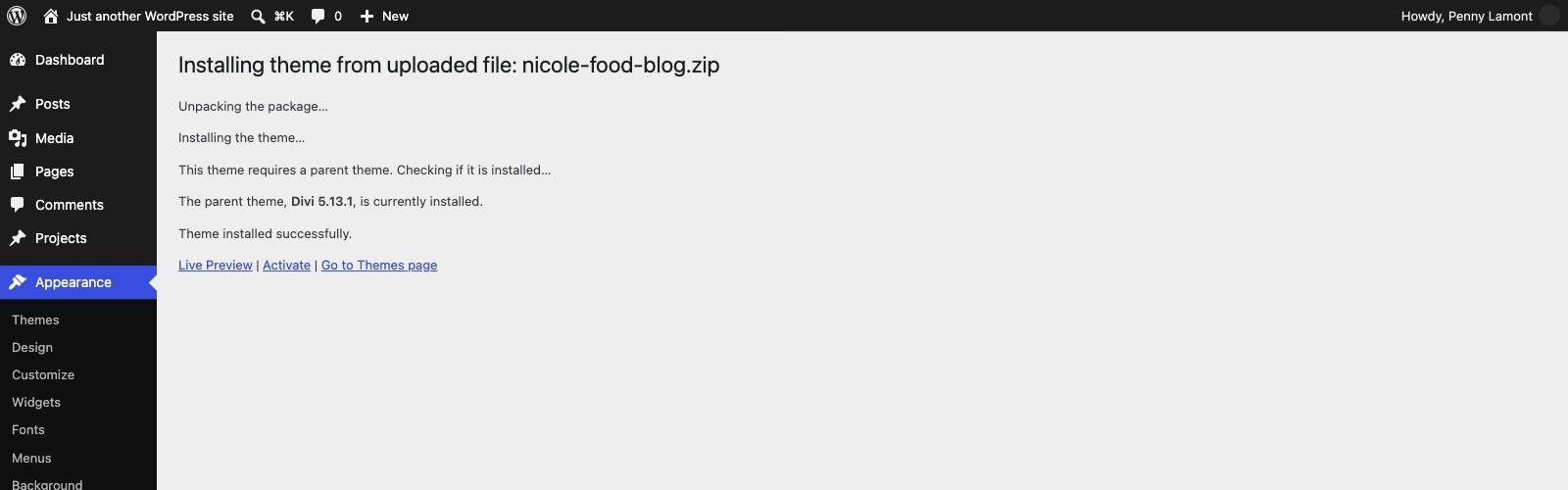
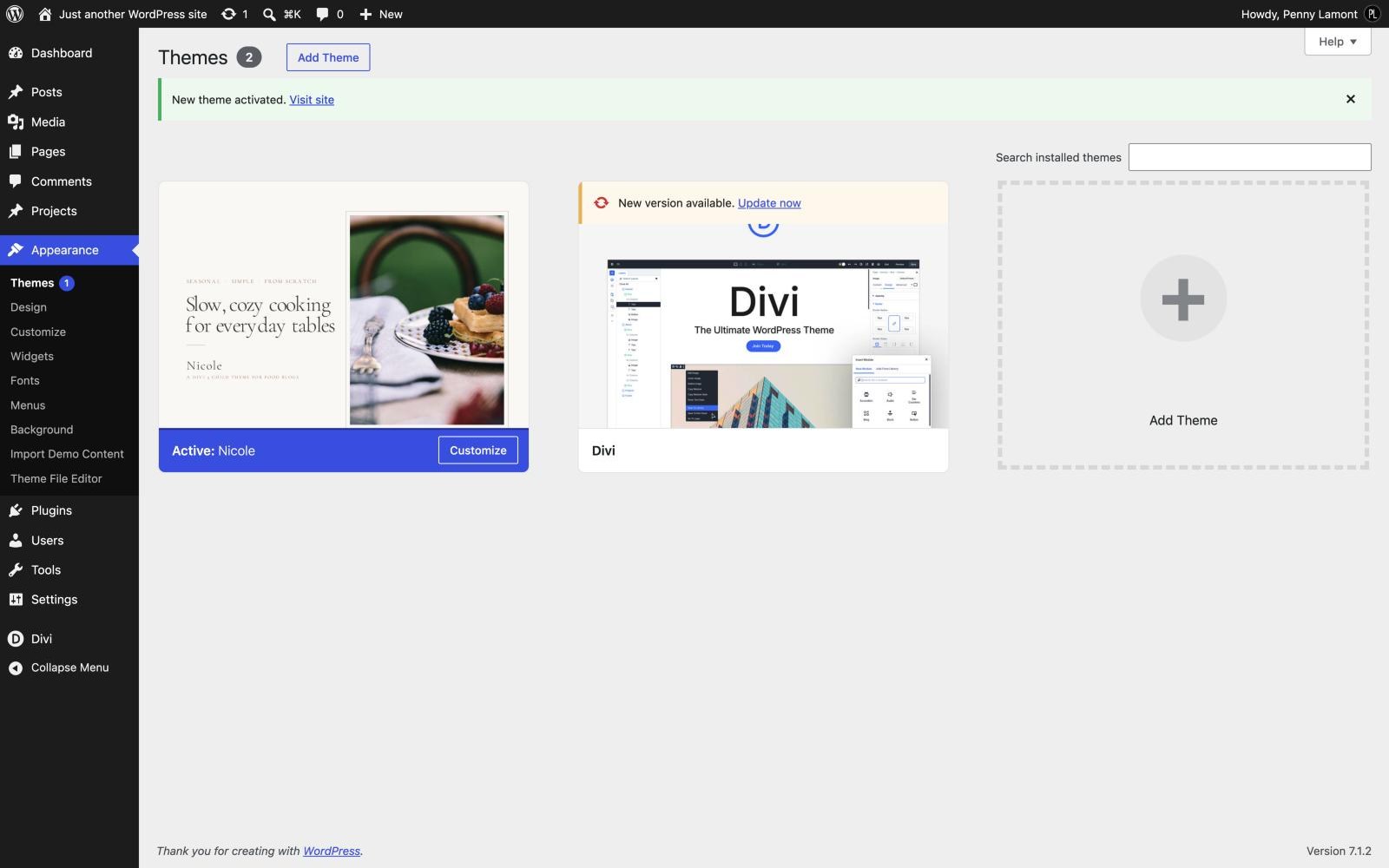
When WordPress says the theme installed successfully, click Activate. A new screen appears under Appearance - Import Demo Content - which you will use in the next step.
STEP FOUR
Install the Recipe Card plugin
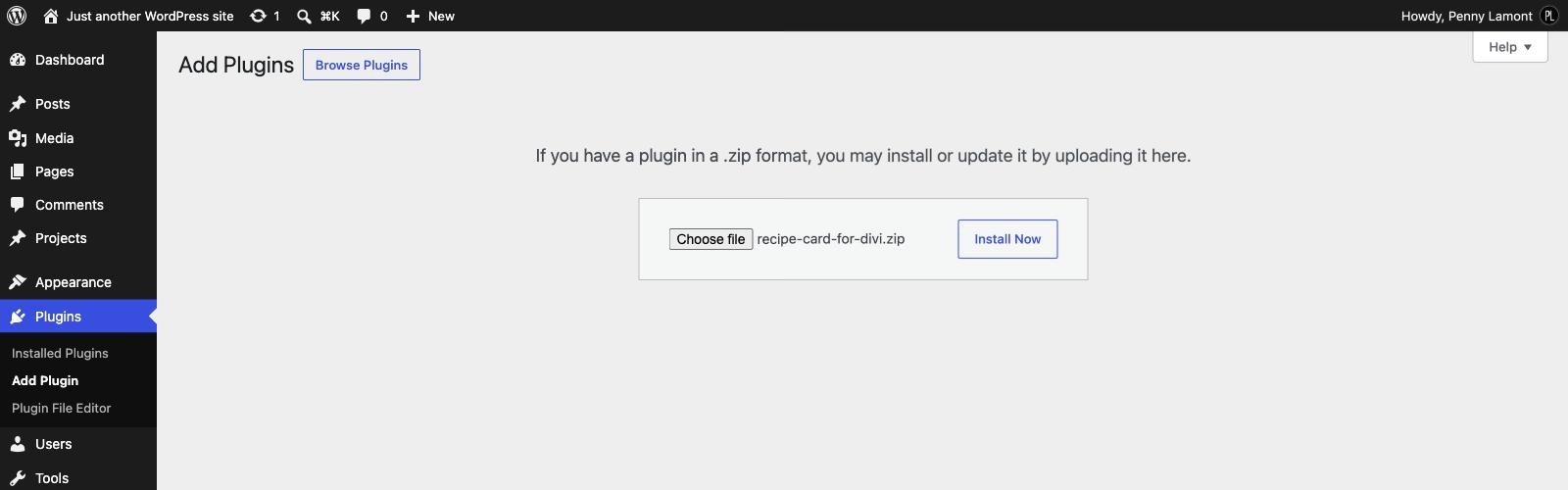
Go to Plugins › Add New Plugin, click Upload Plugin, choose recipe-card-for-divi.zip, install it and click Activate. It gives every recipe its card, and it picks up Nicole’s colours on its own. Do this before the import if you can, so the recipes look finished the first time you see them.

WHAT TO EXPECT
Your site will look plain
That is exactly right. A child theme on its own carries the styling, not the content - the pages, the recipes, the templates and the menu all arrive in the next step, with the demo import.
IF WORDPRESS SAYS THE PARENT THEME IS MISSING
Divi is not installed under the exact name Divi. Download Divi again from your Elegant Themes account, install it, and try Nicole once more. Renamed or duplicated Divi folders are the usual cause.
NICOLE NEEDS DIVI 5
Every page in Nicole is built with Divi 5 blocks, so Divi 5 has to be installed and active. On Divi 4 the pages will not open in the builder.
Next