
GUIDE
Earning from your site
Affiliate links, your email list and collaborations.
Romy comes ready for the ways lifestyle blogs usually earn: affiliate links on the things you recommend, an email list, and brand collaborations. The demo shows each one in place, so a new site can start earning as soon as it has readers. Nothing is switched on until you add your own links and mailing-list account.
AFFILIATE LINKS
Shop My Picks is your shop
The Shop My Picks page, The Shop button in the header and Shop my Picks on the home page all lead readers to the things you recommend. Every card is a ShopCard item. Give each one your affiliate link - Amazon Associates, a retailer’s own programme, or a network such as Awin, Rakuten or LTK - under ShopCard › Items, and every card showing that item updates.
AFFILIATE LINKS
Link settings that keep you compliant
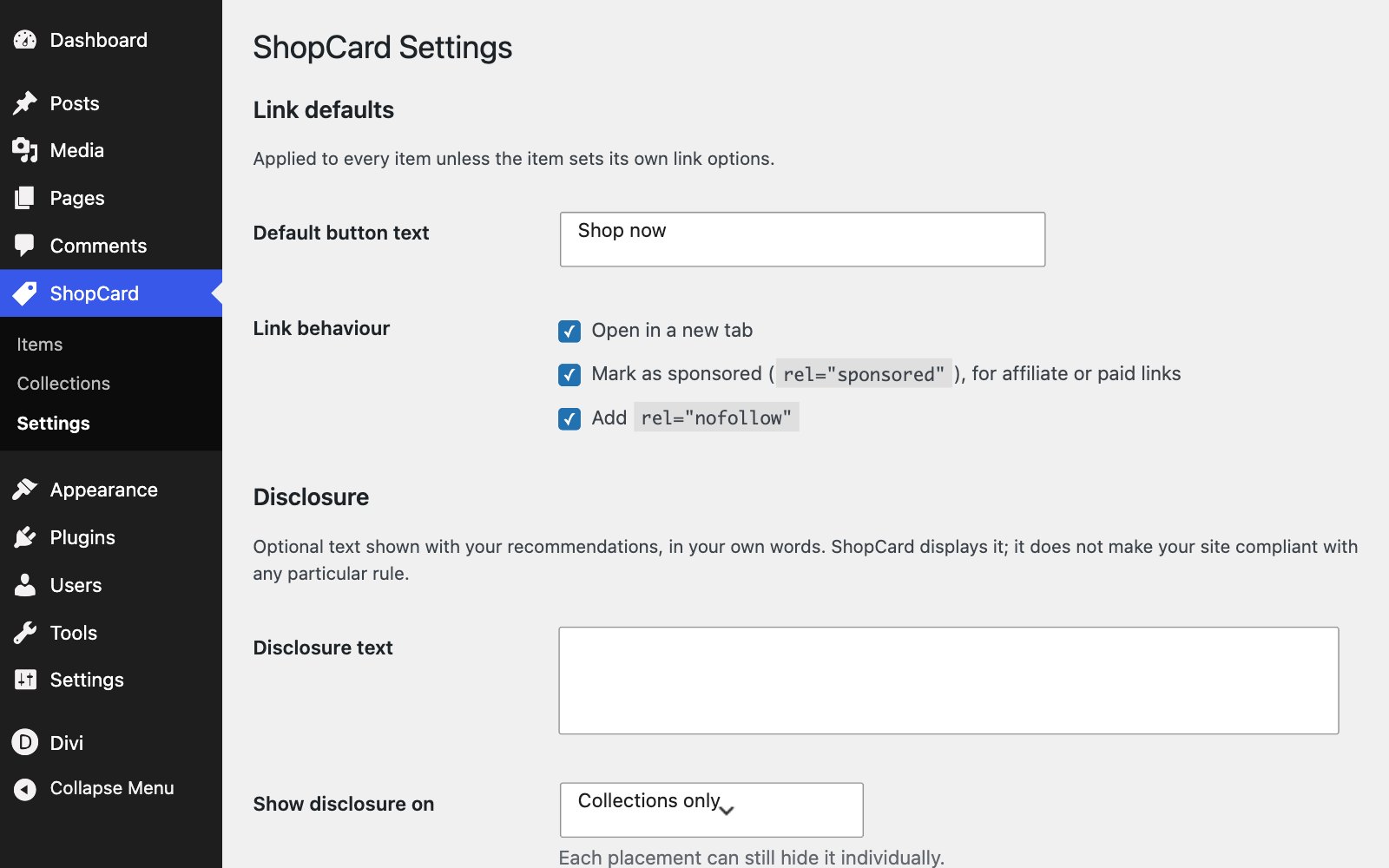
ShopCard opens product links in a new tab and marks them sponsored and nofollow by default - the settings Google and most affiliate programmes ask for. Change the defaults under ShopCard › Settings, or for a single item in its Link options box. The default button text, Shop now, is set there too.
AFFILIATE LINKS
Products inside your posts
In a post, link a product with an ordinary text link, or place a ShopCard Item module to show the same card as on Shop My Picks. A card updates whenever you edit its item, so a new link or price only ever needs changing once.
AFFILIATE LINKS
The disclosure
Shop My Picks opens with a line telling readers that some links are affiliate links. Keep it: advertising rules in the UK, the EU and the US all expect it, and most affiliate programmes make it a condition of joining. ShopCard can add a disclosure for you as well, to collections or to every card, under ShopCard › Settings. Add a similar line to any post that carries affiliate links.
COLLABORATIONS
The About page does the selling
Brands decide on collaborations from your About page. Romy’s has an As seen in strip for the publications you have appeared in - placeholder names on the demo, ready to become logos - and a What you’ll find here section. Fill them in honestly, and point enquiries to your Contact page.
AFFILIATE LINKS
Keep prices honest
A price on a card is typed by you and never updates on its own. Leave the price empty on anything whose price changes often; a card without a price still works, and a stale price costs more trust than it earns.
YOUR EMAIL LIST
The sign-up band
The sign-up band in the footer is the one part of a blog that nobody can take away from you, and it is where most paid products, from guides to presets, end up being sold. Connect the Email Optin module to your mailing-list provider in its Email Account settings, and change the promise above it to your own. The contact form and newsletter has the details.
BEFORE YOU LAUNCH
Cookie consent
If you have readers in the UK or the EU, affiliate networks that set tracking cookies, and any analytics you add, may need the reader’s consent first. Add a cookie consent banner before you launch; ask your networks which consent tools they support, then install one as a plugin.
THE PRODUCT PHOTOS
The demo cards use labelled placeholders, not real products. Use your own photographs, or the product images your affiliate programme provides and allows you to use.
Next