
REFERENCE
The contact form and newsletter
Two things to connect before you launch.
Both work out of the box in the sense that they show and submit, but neither is pointed at you yet. The contact form sends to a placeholder address that can never receive mail, and the newsletter sign-up is waiting for your own mailing-list account. Fix both before you share the site.
THE FORM
Where the messages go
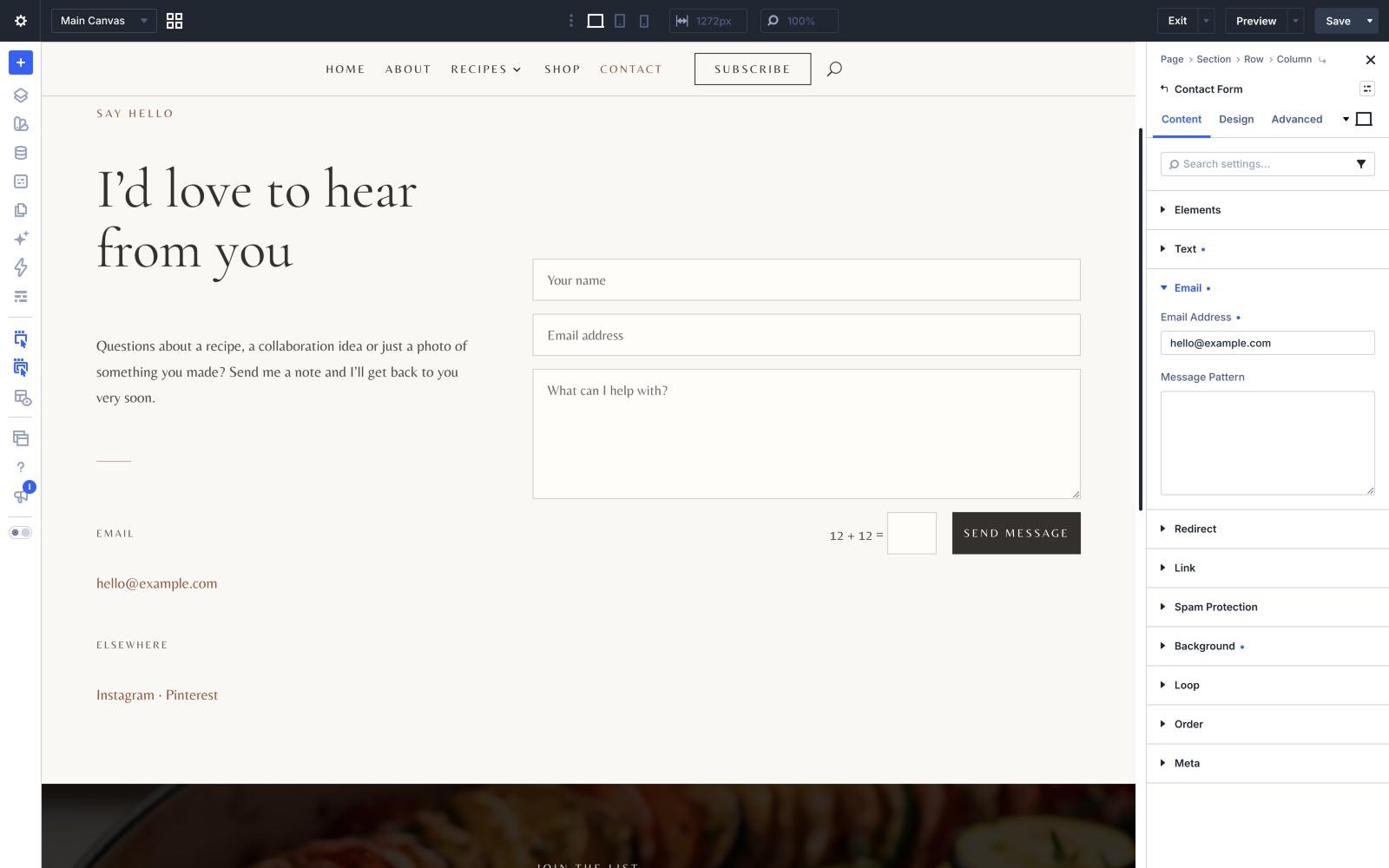
Open the Contact page in the Visual Builder and click into the form module. Under Content › Email there is a single field for the address that receives messages. The demo has hello@example.com there; change it to the address you actually read, then send yourself a test.
THE FORM
The fields, and adding one
The form asks for a name, an email address and a message, and all three are required. Each field is its own small module inside the form, so adding one is a matter of duplicating a field and changing its label and type. The thank-you line readers see after sending is under the form’s Content › Success Message.
THE FORM
Spam
Divi’s basic sum question is switched on, which stops most automated messages. If you would rather use reCAPTCHA, Divi supports it under Divi › Theme Options › Integrations; switch the basic question off in the form once reCAPTCHA is working.
THE NEWSLETTER
Connecting the sign-up
The sign-up band is an Email Optin module, and it needs your mailing-list account before it collects anything. Open the footer layout under Divi › Theme Builder, click into the module, and under Content › Email Account choose your provider and add your account. Divi supports Mailchimp, MailerLite, ConvertKit (now Kit) and a long list of others. The demo shows a placeholder Mailchimp account until you do.
THE NEWSLETTER
The promise underneath
The band offers “new recipes in your inbox, every Sunday” and a free printable seasonal meal planner. Both lines are plain text in the footer layout, so change them to whatever you will actually send. If you offer a freebie, set up the welcome email that delivers it in your mailing-list provider - Divi only adds the reader to your list.
BEFORE YOU LAUNCH
The placeholder address
The demo uses hello@example.com in three places: inside the contact form, in the Email line beside it on the Contact page, and in the Follow along column of the footer. It is a reserved address that can never receive mail, chosen so nothing can go astray while you are setting up. Change all three.
IF FORM MAIL NEVER ARRIVES
WordPress sends mail through your web server by default, and many hosts either block it or land it in spam. If test messages vanish, install an SMTP plugin and send through a proper mail service. This is a WordPress and hosting matter rather than a Nicole one, and it affects every form on the site.
Next