
GUIDE
Earning from your site
Ads, affiliate links and your email list.
Nicole comes ready for the three ways food blogs usually earn: display ads, affiliate links and an email list. The demo shows all three in place, so a new site can start earning as soon as it has readers. Nothing is switched on until you add your own ad code, affiliate links and mailing-list account.
THE AD SLOTS
Where the ads go
The demo has ad slots in five places: after the opening paragraphs of every recipe, after every recipe (just above the comments), above the grid on category and archive pages, on the Recipes page, and on the homepage between the latest recipes and the Meet Nicole section.
On the demo each slot shows a pale dashed box marked Ad space. That box is only a placeholder and disappears as soon as you paste in real ad code.
THE AD SLOTS
Adding your ad code
There are only two slots, and each one is used everywhere it appears: Ad slot - In-content 300x250 for inside recipes and Ad slot - Banner 728x90 for wide spots. Both are Global modules in your Divi Library.
Go to Divi › Divi Library, open the slot in the builder and click into its Code module. Delete the placeholder line and paste the code your ad network gives you, from Google AdSense, Ezoic or any other network. Save, and every page using that slot updates at once.
Each slot keeps its space while the ad loads, so the page does not jump about, and carries a small Advertisement label, which most networks ask for.
THE AD SLOTS
If your network places ads for you
Larger ad networks such as Mediavine and Raptive add their ads automatically with a single script, and decide the positions themselves. If you join one of those, delete the two slots from the Divi Library so you don’t end up with empty boxes, or keep them only if your network says it can fill them. The layout is ready either way, because the content column and recipe card already leave room around ads.
AFFILIATE LINKS
The Kitchen Favourites page
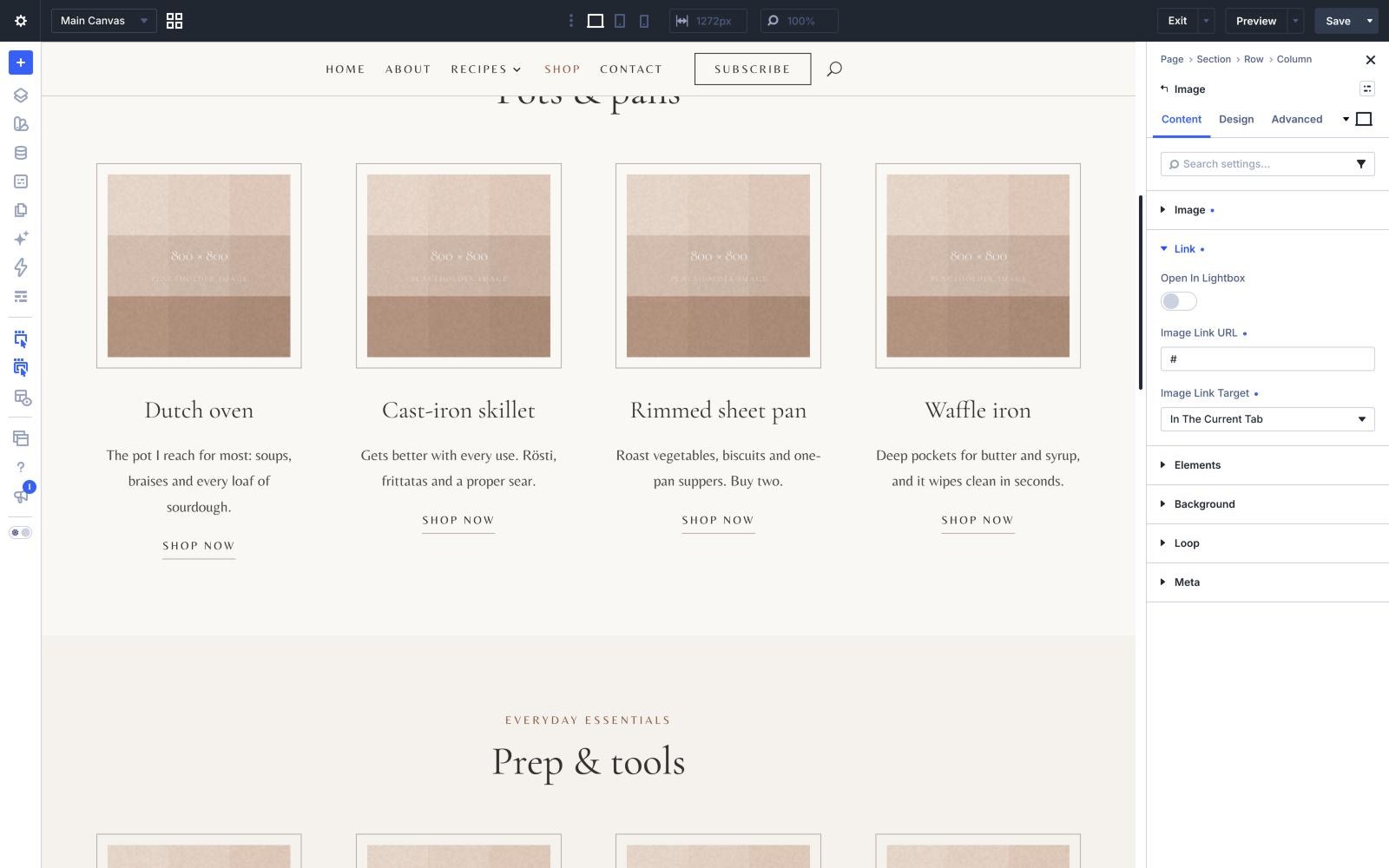
The Shop page in the menu lists the kitchen tools the recipes use, in three groups of four. Each card has a photo, a name, a one-line note and a Shop now button.
Open the page in the Visual Builder and, for each product, replace the button link with your affiliate link (Amazon Associates, a retailer’s own programme, or a network such as Awin). The photo links the same way. Set the link to open in a new tab and, under the button’s link settings, mark it nofollow. Add, remove or reorder products by duplicating or deleting a column.
AFFILIATE LINKS
“What you’ll need” in each recipe
Just above the recipe card, every recipe has a small panel showing three pieces of equipment. On the demo each one jumps to that product on the Kitchen Favourites page, so readers see your full recommendation. You can point them straight at your affiliate links instead.
The panel is an ordinary group of modules in the post, so change the products, photos and links per recipe, or delete the panel from a recipe that needs nothing special.
AFFILIATE LINKS
The disclosure
A short line at the top of every recipe and on the Kitchen Favourites page tells readers that some links are affiliate links. Keep it: advertising rules in the UK, the EU and the US all expect it, and most affiliate programmes make it a condition of joining. Edit the recipe wording under Divi › Theme Builder › Single Recipe.
YOUR EMAIL LIST
The sign-up and the free planner
The sign-up band in the footer is the one part of a food blog that nobody can take away from you, and it is where most paid products, from ebooks to meal plans, end up being sold. It offers a free printable seasonal meal planner on the demo; change that promise to your own freebie in the footer layout under Divi › Theme Builder, and connect the Email Optin module to your mailing-list provider in its Email Account settings.
BEFORE YOU LAUNCH
Cookie consent for ads
If you have readers in the UK or the EU, personalised ads need their consent first, so add a cookie consent banner before you switch ads on. Google asks EU and UK sites using AdSense to use a certified consent tool, and other networks have their own lists. Ask your network which tools it supports, then install one as a plugin.
THE DEMO PRODUCT PHOTOS
The kitchen tool photos on the demo are for preview only and are not included in the download. The theme uses plain placeholders in their place. Use your own photos, or the product images your affiliate programme provides.
Next